
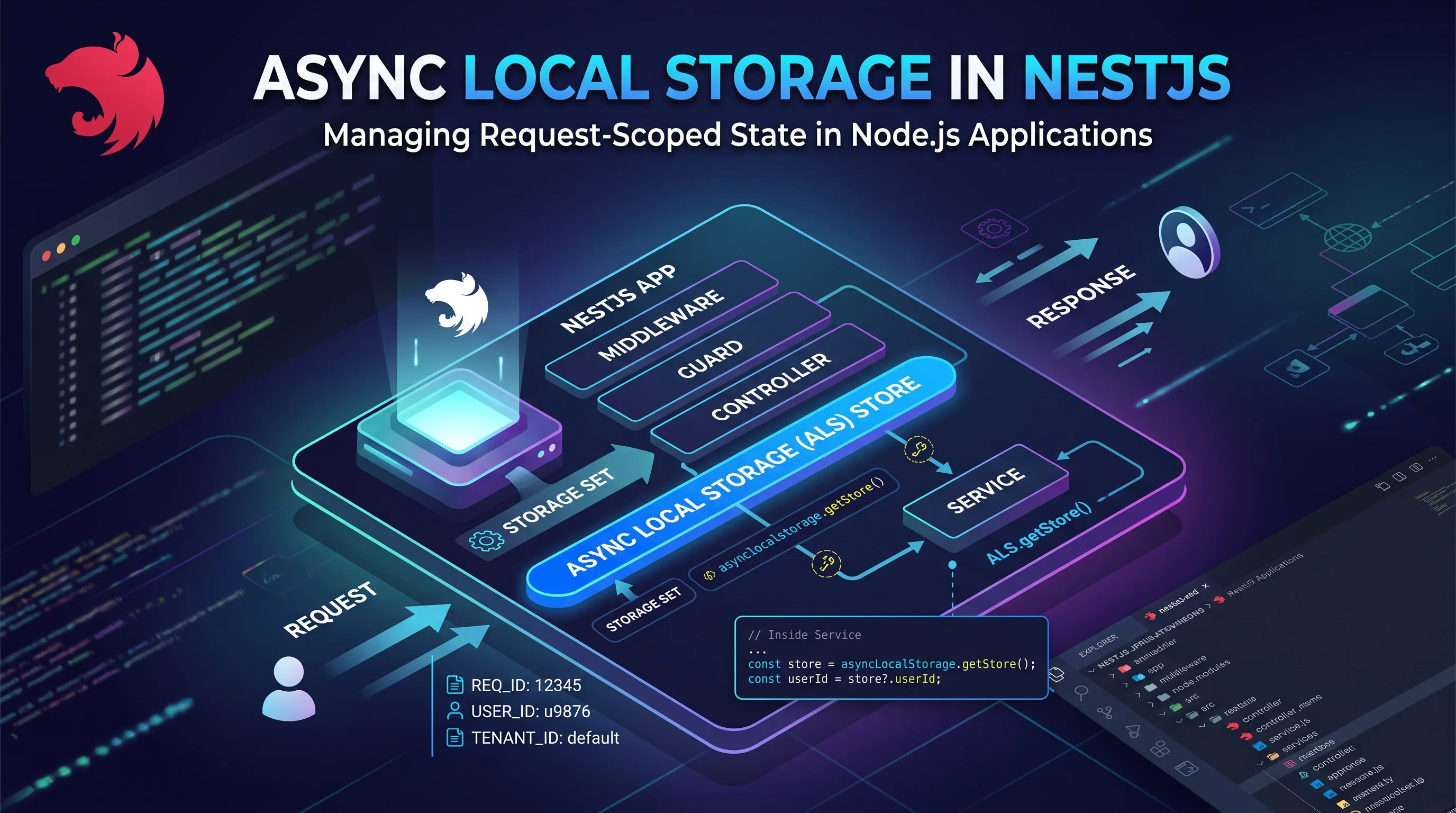
Let’s be honest: we’ve all been there. You have a perfectly structured NestJS endpoint, but the function that actually does the dirty work sits four layers deep. Suddenly you realize you need the authenticated user’s ID down there, yet that data is only available at the very beginning of the flow.
So what do you do? You start adding the user parameter to the first service, then the second, then the third. Before you know it, your classes are full of methods accepting data they don’t actually care about, just to forward it further down the chain.
This kind of “prop-drilling” on the backend is annoying to write and painful to read.
The good news is that Node.js has a built-in tool to solve it: AsyncLocalStorage. It lets you create an “invisible” context that travels along with each individual HTTP request. Applied to NestJS, it allows you to grab the data exactly where you need it, keeping your method signatures clean without taking a noticeable hit on performance.
The problem
An HTTP request typically passes through several layers of an application:
Middleware -> Guard -> Interceptor -> Controller -> ServiceA -> ServiceB -> ServiceCA guard may authenticate the request and assign the user to request.user. The actual business logic, however, may end up in a service far removed from the controller: ServiceC, for example, might need to apply a visibility filter to a query.
ServiceA and ServiceB do not need the user to do their work. Yet with explicit parameter passing, they would still be forced to receive it and pass it along.
Option 1: pass the data explicitly
The most obvious approach is to add user to the signature of every method in the chain:
class ServiceA {
  create(user: CurrentUser, input: Input) {
    return this.serviceB.process(user, input);
  }
}

class ServiceB {
  process(user: CurrentUser, input: Input) {
    return this.serviceC.buildQuery(user, input);
  }
}

class ServiceC {
  buildQuery(user: CurrentUser, input: Input) {
    if (!hasPermission(user)) {
      throw new ForbiddenException('Permission denied');
    }

    return { createdBy: user.id };
  }
}
This approach works and is very clear: by reading a function signature, you can immediately see which data it needs. It is often the best choice when there are only a few layers involved.
The limitation becomes apparent when the data has to pass through several layers that do not use it. If, in addition to the user, you need tokens, request IDs, or other metadata, method signatures start accumulating parameters whose only purpose is to be forwarded to the next method.
Option 2: request-scoped provider
NestJS providers are singletons by default. You can declare one with Scope.REQUEST, so that a new instance is created for each request and the REQUEST token can be injected:
import { Inject, Injectable, Scope } from '@nestjs/common';
import { REQUEST } from '@nestjs/core';
import type { Request } from 'express';

@Injectable({ scope: Scope.REQUEST })
export class RequestContext {
  constructor(@Inject(REQUEST) private readonly request: Request) {}

  get user(): CurrentUser | undefined {
    return this.request.user as CurrentUser | undefined;
  }
}
A service that injects RequestContext can read the user without receiving it from the layers above.
However, you need to consider scope bubbling: a provider that depends on a request-scoped provider may itself be resolved as request-scoped. If RequestContext is injected into widely shared services, a significant part of their dependency chain may lose singleton behavior.
In addition, REQUEST is specific to the HTTP transport. In contexts such as GraphQL, WebSockets, or microservices, the context type and available tokens may be different, leading to solutions that are not consistent across the application.
Option 3: AsyncLocalStorage
AsyncLocalStorage is a stable Node.js API based on the asynchronous context tracking system. It allows you to associate a store with a chain of asynchronous operations and read it later within that same chain.
import { AsyncLocalStorage } from 'node:async_hooks';

interface CurrentUser {
  id: string;
}

const storage = new AsyncLocalStorage<{ user: CurrentUser }>();

storage.run({ user: currentUser }, async () => {
  await handleRequest();

  const store = storage.getStore();
  console.log(store?.user.id);
});
A single AsyncLocalStorage instance per process is enough. Each invocation of run() associates a store with its own asynchronous chain, which means concurrent requests can keep separate data without overwriting one another.
In normal operations created inside the run() callback, the context is propagated through await, Promises, timers, and callbacks. getStore() returns undefined when called outside an active context.
There are exceptions, though: callback-based APIs that are not correctly connected to the asynchronous chain, legacy integrations, or custom asynchronous resources may require adaptations, such as converting them to Promises.
run() and enterWith()
For a context tied to the lifecycle of a request, run() is generally the best choice:
storage.run(store, () => {
  return doSomething();
});
run() explicitly limits the context to the callback and the asynchronous operations it creates. enterWith(), on the other hand, sets the store for the current synchronous execution and for subsequent asynchronous operations; in some flows, it can therefore extend the context beyond the boundary you intended.
storage.enterWith(store);
doSomething();
Integrating it with NestJS
A custom solution can be built from two elements:
- A singleton provider that wraps
AsyncLocalStorageand exposes a typed API. - Middleware that opens the store at the beginning of the request.
Middleware is a good initialization point as it wraps the rest of the HTTP pipeline. The store will therefore be available to guards, interceptors, controllers, and services, including the asynchronous operations they start.
RequestContextMiddleware (opens the store)
  -> AuthGuard (authenticates and adds the user to the store)
  -> Interceptor
  -> Controller
  -> ServiceA
  -> ServiceB
  -> ServiceC (reads the store)
The provider
import { Injectable } from '@nestjs/common';
import { AsyncLocalStorage } from 'node:async_hooks';

export interface CurrentUser {
  id: string;
}

export interface RequestStore {
  user?: CurrentUser;
  sessionToken?: string;
  requestId?: string;
}

@Injectable()
export class RequestContextService {
  constructor(
    private readonly storage: AsyncLocalStorage<RequestStore>,
  ) {}

  run<T>(store: RequestStore, callback: () => T): T {
    return this.storage.run(store, callback);
  }

  getStore(): RequestStore | undefined {
    return this.storage.getStore();
  }

  getRequiredStore(): RequestStore {
    const store = this.getStore();

    if (!store) {
      throw new Error('Request context is not available');
    }

    return store;
  }

  getUserId(): string | undefined {
    return this.getStore()?.user?.id;
  }

  getRequiredUserId(): string {
    const userId = this.getUserId();

    if (userId === undefined) {
      throw new Error('Current user is not available in the request context');
    }

    return userId;
  }
}
The service remains a singleton: it contains a single AsyncLocalStorage instance, but reads a different store depending on the active asynchronous chain.
The module
import { Global, Module } from '@nestjs/common';
import { AsyncLocalStorage } from 'node:async_hooks';

@Global()
@Module({
  providers: [
    {
      provide: AsyncLocalStorage,
      useValue: new AsyncLocalStorage<RequestStore>(),
    },
    RequestContextService,
  ],
  exports: [RequestContextService],
})
export class RequestContextModule {}
After importing RequestContextModule into the root module, RequestContextService can be injected into the other modules of the application. A global module should still be used with care: it makes the dependency available everywhere, but it should not become a generic container for application state.
The middleware
In the middleware, we initialize the data available as soon as the request arrives, such as the request ID and token. The user is not available yet: the guard will authenticate the request later.
import {
  Injectable,
  NestMiddleware,
} from '@nestjs/common';
import type { NextFunction, Request, Response } from 'express';

@Injectable()
export class RequestContextMiddleware implements NestMiddleware {
  constructor(
    private readonly requestContext: RequestContextService,
  ) {}

  use(req: Request, res: Response, next: NextFunction) {
    this.requestContext.run(
      {
        requestId: getRequestId(req),
        sessionToken: extractToken(req),
      },
      () => next(),
    );
  }
}
Now, we can register it in the module that handles HTTP requests:
import { MiddlewareConsumer, Module, NestModule } from '@nestjs/common';

@Module({})
export class AppModule implements NestModule {
  configure(consumer: MiddlewareConsumer) {
    consumer.apply(RequestContextMiddleware).forRoutes('*');
  }
}
The middleware should be applied only once to the same request. Registering it multiple times would nest unnecessary run() calls and make less obvious which store is active.
Adding the user in the guard
After authenticating the request, the guard can set request.user and update the store opened by the middleware:
import {
  CanActivate,
  ExecutionContext,
  Injectable,
  UnauthorizedException,
} from '@nestjs/common';

@Injectable()
export class AuthGuard implements CanActivate {
  constructor(
    private readonly requestContext: RequestContextService,
  ) {}

  async canActivate(context: ExecutionContext): Promise<boolean> {
    const request = context.switchToHttp().getRequest<Request>();
    const user = await authenticate(request);

    if (!user) {
      throw new UnauthorizedException();
    }

    request.user = user;
    this.requestContext.getRequiredStore().user = user;

    return true;
  }
}
The assignment updates the same store object created by the middleware. From that moment on, the controller and services called during the request can read the user from the context.
Public routes can keep a store containing the requestId and other metadata, leaving user undefined. This avoids treating anonymous requests as requests without context.
Reading the context in a service
import { Injectable } from '@nestjs/common';

@Injectable()
export class DeepQueryService {
  constructor(
    private readonly requestContext: RequestContextService,
  ) {}

  private buildVisibilityFilter() {
    const userId = this.requestContext.getRequiredUserId();

    return { createdBy: userId };
  }
}
The service does not need to know about the controller, the HTTP request, or the guard. It depends only on an interface that exposes the context data it needs.
If getRequiredUserId() is called from a scheduled job, a message consumer, or a test that has not initialized the store, the error is immediate and descriptive. When the user is optional, it is better to use getUserId() and handle the undefined value explicitly.
Suitable use cases
AsyncLocalStorage is particularly useful for cross-cutting data:
- Correlation ID: include the same identifier in logs, queries, and calls to external services.
- Current tenant: make the tenant resolved at the beginning of the request available to repositories, API clients, and loggers.
- Observability metadata: associate the user, request ID, or tracing information with application events.
- Controlled credential forwarding: retrieve a session token when an internal client needs to forward it to a service that requires it.
When to avoid it
ALS reduces boilerplate, but it introduces an implicit dependency. Someone reading a method signature will no longer immediately see that the function uses data coming from the request.
Avoid it, or use it carefully, when:
- The data is an essential input to the domain logic and deserves to be explicit in the signature.
- The store risks becoming a generic, oversized object that is difficult to govern.
- The code also runs outside the HTTP lifecycle and there is no clear strategy for initializing the context.
- You use callback-based libraries or legacy integrations that do not correctly preserve asynchronous context.
Keeping the store small and giving it a clear responsibility is a good rule. Request IDs, tenants, technical identities, and observability metadata are good examples of small pieces of data that belong in the store.
What about nestjs-cls?
The NestJS documentation mentions nestjs-cls, a third-party library that uses AsyncLocalStorage and provides ready-made modules, middleware, guards, and interceptors. It can be a practical choice when the application needs more extensive configuration or already-structured APIs for accessing the store.
A custom implementation still makes sense when the requirement is limited and you want to avoid adding another dependency. The library removes some of the boilerplate, but it does not replace the architectural decisions: what to put in the store, where to initialize it, and when to prefer an explicit parameter remain the application’s responsibility.
What about performance?
AsyncLocalStorage introduces a small amount of overhead because Node.js has to maintain the link between the store and asynchronous operations.
In a typical backend application, this cost is almost negligible compared with database queries or network calls. It is not free, but unless you are developing a real-time system under extreme load, the benefits in terms of cleaner code clearly outweigh the minimal performance impact.
Ultimately, AsyncLocalStorage saves you from that frustrating chain of parameters being passed through without being used, and helps you avoid turning half the application into request-scoped code.
Use it for everything that provides the “background” to a request: the logged-in user, a request ID for logs, or the current company. But if a piece of data is at the heart of a business rule, always consider passing it explicitly in the method signature: whoever has to read or test that code in the future will thank you.