

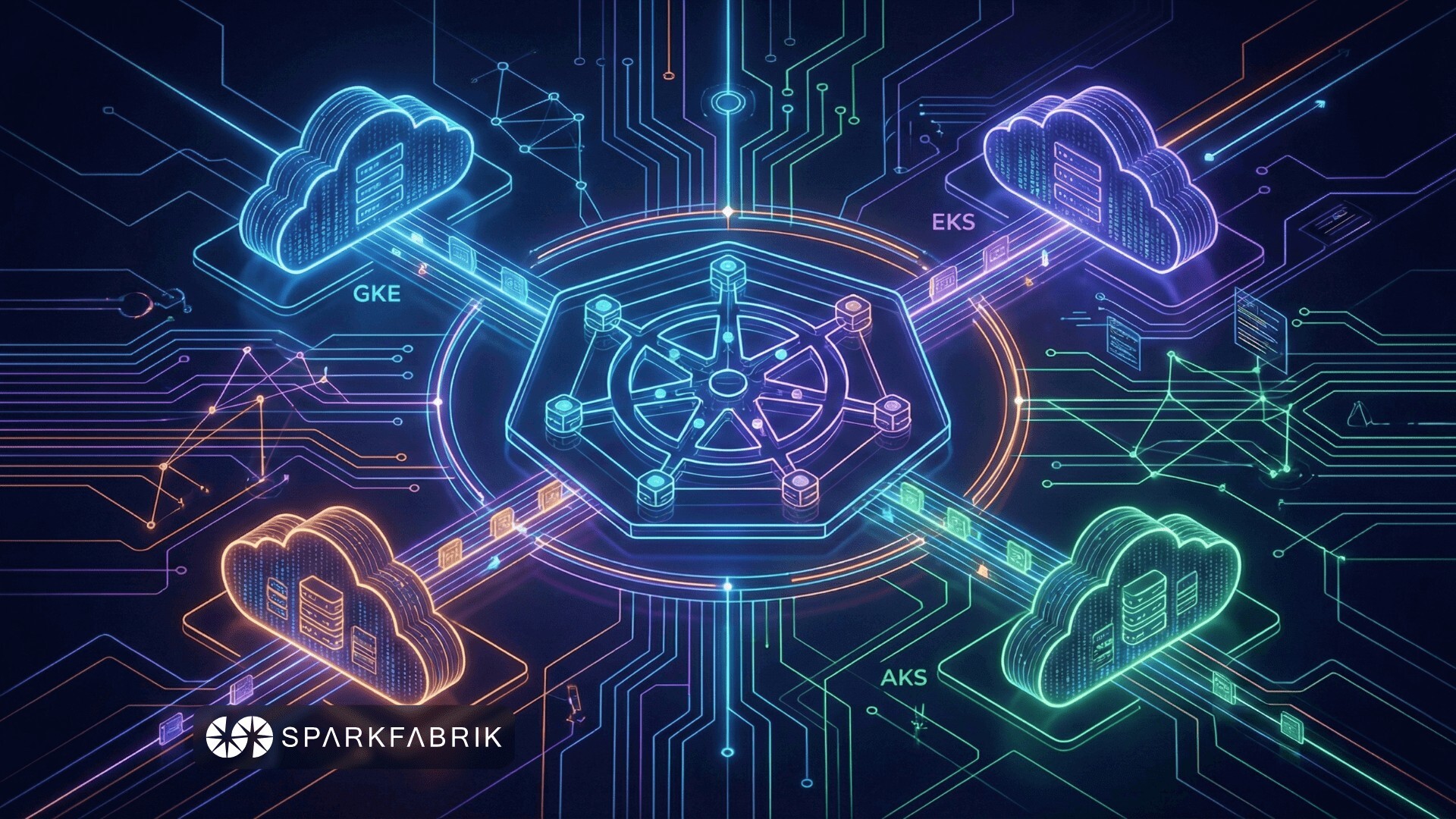
In a landscape where Kubernetes has become the de facto standard for container orchestration, the choice of cloud provider directly impacts how your workloads are executed and managed. In this guide, we analyze the technical aspects that truly matter when discussing Kubernetes cloud providers, from infrastructure integration to a head-to-head comparison of GKE, EKS, and AKS.
How Kubernetes Integrates with Cloud Infrastructure
When it comes to choosing a cloud provider for Kubernetes, it is essential to understand that the provider is not simply “the place where you install the cluster.” It is a deep, bidirectional integration between Kubernetes and the underlying infrastructure, allowing the cluster to natively leverage services such as load balancers, persistent storage, virtual nodes, and cloud-native networking. The key component is the Cloud Controller Manager (CCM), which acts as a bridge between the Kubernetes API and the provider’s APIs. It translates, for example, a Service LoadBalancer into a concrete cloud resource (e.g., AWS ELB, Azure LB, GCP CLB).
Historically, integrations were in-tree: cloud-specific code included in the Kubernetes core. This approach created maintenance issues, feature delays, and integration barriers for new providers. Since 2017, Kubernetes has moved toward an out-of-tree model (the current standard): the CCM is an external component, maintained by the provider or the community, and deployed separately.
With Kubernetes v1.31 (2024), the old in-tree implementation code was completely removed, and today the –cloud-provider=external parameter is mandatory for any provider (except for bare metal/on-prem clusters or those without cloud integrations).
The main advantages of the out-of-tree approach are:
- CCM updates independent of the Kubernetes release cycle
- Faster innovation (new services, quick fixes)
- A lighter, vendor-agnostic core
- A lower perception of platform lock-in
In parallel with this Cloud Controller Manager evolution, Kubernetes has standardized other critical interfaces to further separate the core from vendor-specific implementations:
- CSI (Container Storage Interface): external storage drivers (replacing the old in-tree plugins)
- CNI (Container Network Interface): networking plugins (e.g., Amazon VPC CNI, Azure CNI, Cilium)
In summary: before comparing GKE, EKS, and AKS, it makes sense to understand how much each provider invests in the quality of these integrations.
Therefore, it is important when evaluating a cloud provider for a production-grade Kubernetes workload to look beyond the high-level “managed” features. You need to verify the maturity and update frequency of their Cloud Controller Manager, the quality and performance of the CSI driver, and the efficiency of the CNI implementation. These are the building blocks that determine how smoothly Kubernetes “perceives” and leverages the underlying infrastructure, directly affecting reliability, costs, and scaling capabilities.
Before moving on, we recommend a resource if you are evaluating how to introduce K8s in your organization in a structured way. In our Guide to Kubernetes Adoption you can explore requirements, roadmaps, and mistakes to avoid: download the free ebook and use the checklist to plan your adoption journey.
Architectures Compared: Control Plane and Node Management
Now that we have clarified how Kubernetes communicates with the cloud, the next step is to understand “who does what” between you and the provider in cluster management. When choosing a cloud provider for Kubernetes, the control plane architecture and worker node management determine the level of abstraction, operational overhead, and flexibility. Here is a direct comparison among the major hyperscalers: GKE (Google), EKS (AWS), and AKS (Azure).
Control Plane: Level of Abstraction
- GKE Autopilot: Fully managed and abstracted. Google entirely controls the control plane and nodes. No visibility or direct management of underlying nodes. Ideal for workload focus (extended SLA on control plane + compute).
- GKE Standard: Control plane managed by Google (multi-zone HA), but worker nodes managed by the customer (provisioning, manual scaling or with autoscaler).
- EKS: Control plane always managed by AWS (multi-AZ, self-healing, endpoint via NLB). Native high availability, but no fully “serverless” mode for nodes (options: managed node groups, self-managed, Fargate, EKS Auto Mode for advanced automation).
- AKS: Control plane managed by Azure (free, HA). From 2025, AKS Automatic introduces a fully-managed mode similar to Autopilot, with dynamic autoscaling via Karpenter-like and automatic patching.
The result of this comparison highlights how Autopilot / AKS Automatic drastically reduce operational toil, but limit the level of possible customization. EKS and GKE Standard offer more control, at the cost of greater management overhead.
Worker Node Lifecycle Management
This is a topic that deeply resonates with operations teams: how much manual work is required to keep the node fleet healthy? Let’s compare.
| Provider | Provisioning | Updates & Patching | Self-healing & Scaling |
|---|---|---|---|
| GKE Autopilot | Automatic (based on pod requests) | Automatic (release channel) | Pod-driven auto-scaling, optimized bin-packing |
| GKE Standard | Manual or node pool autoscaler | Automatic or managed (surge upgrades) | Cluster Autoscaler + node pool autoscaler |
| EKS | Managed node groups, self-managed, Fargate, Auto Mode | Managed: automatic; Self: manual | Cluster Autoscaler + Karpenter (recommended) |
| AKS | User node pools or Automatic (Karpenter-style) | Automatic (orchestrated upgrade) | Cluster Autoscaler + VMSS; Automatic: dynamic |
Node Customization Options
Let’s continue the comparison by analyzing the level of node customization offered by each provider.
- GKE Autopilot: Very limited customization. Direct choice of instance type, OS, or custom GPU is not possible (requested via pod spec, Google optimizes). Supports specialized chips (GPU/TPU) on request.
- GKE Standard: High customization: custom VM types (n2, c3, tau), OS (Container-Optimized OS), taints/labels, preemptible/spot, custom machine types.
- EKS: Very high customization. Granular control through EC2 instance types, custom AMIs (Bottlerocket, AL2), Launch Templates, spot instances, GPU/ARM, Fargate for serverless approaches.
- AKS: High customization: VM sizes (Standard_D, Fsv2, etc.), Azure Linux/Windows, spot/low-priority, custom images, GPU/InfiniBand.
In practice, the higher the abstraction level (Autopilot/AKS Automatic), the more operational responsibility you offload to the provider, giving up some fine-tuning levers for optimization. The “sweet spot” depends on how much you want to standardize and how much you are willing to invest in internal management.
READ ALSO
- Kubernetes architecture: a guide to the main components
- Kubernetes operators: what they are and examples
Networking Integration: Service, Ingress, and CNI Compared
Once you have chosen the control plane and node model, the next topic is how traffic enters, exits (Service, Ingress) and moves within the cluster (CNI). Networking integration is another fundamental element when choosing a Kubernetes cloud provider: it impacts latency, costs, scalability, and IP management.
To compare GKE, EKS, and AKS, it makes sense to look at three distinct but interconnected layers:
- How you expose Services (LoadBalancer)
- How you manage HTTP/HTTPS routing (Ingress)
- Which CNI governs internal traffic between pods
1. LoadBalancer Service Implementation
The Service controller (part of the external CCM) creates a cloud load balancer when a Service type: LoadBalancer is defined. The question here is: what type of LB do you get “out of the box” and what are the implications for performance and costs?
- GKE: Uses a Passthrough Network Load Balancer (external/internal) operating at Layer 4 (TCP/UDP). The “passthrough” aspect is important because it preserves the original request IP address. It also supports subsetting, a feature that optimizes backend speed and scalability (it optimizes load distribution by sending traffic only to nodes that actually have active pods for that service, avoiding unnecessary sends to “empty” nodes).
- EKS: Here, the AWS Load Balancer Controller acts as the default controller for LoadBalancer-type services and, when such a service is created, automatically provisions a Network Load Balancer (NLB) (Layer 4, high throughput, static IPs, UDP/TCP). ALB for Ingress (Layer 7) and other load balancers are also supported (Gateway LB, and the now-legacy Classic LB).
- AKS: Creates an Azure Standard Load Balancer by default (Layer 4) to handle both public and private traffic. It also automatically manages outbound cluster traffic (outbound type LoadBalancer for egress). A dedicated annotation allows creating an internal LB. An important feature is backend flexibility. The backend pool (the set of traffic recipients) can be configured with nodeIP (sending to nodes hosting the Pods) or podIP (sending directly to individual Pods, eliminating intermediate network hops in Azure and maximizing performance).
GKE and EKS prioritize passthrough/performance while AKS offers simpler integration with Azure networking (NSG, outbound rules). In general, NLB/ALB on AWS tend to be more expensive for L7 traffic compared to Azure, which however offers a more limited overall feature set. If your workloads are heavily externally exposed or handle high traffic volumes, this mix of LB type, features, and pricing becomes an important selection criterion.
2. Recommended or Integrated Ingress Solutions
Ingress manages HTTP/HTTPS routing (Layer 7). Here, not only load balancing and request routing come into play, but also security topics such as SSL/TLS certificates, WAF firewalls, and integration with the provider’s security and observability services.
- GKE: The default Ingress controller creates a Google Cloud Application Load Balancer (classic or internal) to manage traffic. It supports container-native LBs via NEGs (communicating directly with individual containers without intermediate hops to maximize speed). GKE was the first to natively support the new Gateway API for even more precise traffic management (advanced routing and easy multi-cluster traffic management). It is a recommended solution for global HTTP workloads.
- EKS: The AWS Load Balancer Controller creates an Application Load Balancer (ALB) for Ingress. It manages traffic based on address or path (path/host routing). The main advantage is the deep, turnkey integration with AWS services: it uses WAF for security, ACM TLS for SSL certificates, and CloudWatch for logs. Alternative: NGINX/Traefik, but ALB is native and the preferred option for AWS service integration.
- AKS: Offers the Application routing add-on, which is the recommended method because it is simple and integrated. For advanced security needs, it also offers the Application Gateway Ingress Controller (AGIC) for Azure Application Gateway (which includes WAF, SSL offload, path-based routing). Gateway API is supported.
The components natively provided by providers (ALB, App Gateway, Google ALB) reduce management overhead and offer security features (WAF), while open-source controllers (NGINX) focus on offering fewer features but greater management simplicity. The choice, therefore, is between deeper integration with the cloud ecosystem (managed LBs) and greater portability/operational simplicity (open-source Ingress controllers). It is also worth noting that many Ingress solutions are evolving into the Kubernetes Gateway API, which offers even more control than classic Ingress.
3. Default CNI Plugins and Implications
The CNI manages pod networking, IP allocation, and policies. Unlike Service and Ingress, which deal with traffic “toward” the cluster, here we focus on internal traffic between pods, IP address assignment to Pods, and the rules for them to communicate with each other.
| Provider | Default CNI | IP Management | Performance & Implications |
|---|---|---|---|
| GKE | Dataplane V2 (eBPF/Cilium-based) | VPC-native: pod IP from VPC range, routable | High (eBPF bypasses iptables), native and more integrated network policy, native logging, IPv6/dual-stack, multi-network |
| EKS | Amazon VPC CNI | Direct pod IP from VPC/ENI (prefix delegation for scaling) | Good throughput, security group per pod; ENI/prefix delegation limits |
| AKS | Azure CNI (advanced) | Pod IP from VNet (flat or overlay) | Good, NSG per pod; kubenet fallback (overlay) |
For networking, it is worth choosing a native CNI for simplicity/integration and an alternative (Cilium) for advanced observability, pure eBPF, and multi-cloud. This choice directly affects IP scalability, operational complexity, and internal traffic visibility: three variables to balance based on the type of workloads you need to manage and the level of control you want to maintain over the data plane.
Persistent Storage: CSI Driver Analysis and Performance
Networking aside, the real litmus test for many Kubernetes clusters comes when databases, queues, and stateful components enter the picture. Persistent storage is a critical pillar when choosing a cloud provider for Kubernetes: it influences latency, throughput, and IOPS (speed), costs, and reliability for services such as databases, stateful apps, and AI/ML workloads.
All major providers use mature CSI (Container Storage Interface) drivers for dynamic provisioning of block volumes for a single pod (ReadWriteOnce) and shared file systems across multiple pods (ReadWriteMany), completely replacing the old in-tree plugins.
The CSI driver allows automatic creation of PersistentVolumes from a PersistentVolumeClaim (PVC), managing attach/detach, expansion, snapshots, and reclaim. In other words, the CSI driver automates the disk lifecycle: when an app requests space (via a PVC), the driver creates, attaches, and manages the volume without manual intervention, and also supports resizing and backup functions. To choose disk speed, you simply select a StorageClass. Each provider offers predefined or custom StorageClasses across different performance tiers, suited to different use cases.
Below is a direct comparison table of block (disk) and file options, with major tiers, indicative performance, and typical use cases.
| Provider | Block Storage (CSI Driver) | File Storage (CSI Driver) | Main Tiers & Performance | Typical Use Cases |
|---|---|---|---|---|
| GKE | Compute Engine Persistent Disk CSI | Filestore CSI / Managed Lustre CSI | - pd-balanced (SSD): baseline 6-30k IOPS, 240-1200 MiB/s - pd-ssd (Premium): up to 120k IOPS, 2.4 GB/s - Hyperdisk Balanced/Extreme: independent IOPS/throughput (e.g., 300k+ IOPS, 4.8+ GB/s) | Databases, AI/ML training, HPC (Hyperdisk) |
| EKS | Amazon EBS CSI | Amazon EFS CSI | - gp3 (default): baseline 3k IOPS / 125 MiB/s, provisionable up to 16k IOPS / 1 GB/s - io2/io2 Block Express: up to 256k IOPS, 4 GB/s - io1 (legacy) | Transactional databases, log-heavy, general-purpose |
| AKS | Azure Disk CSI | Azure Files CSI | - Premium SSD v2: independent IOPS/throughput (up to 80k+ IOPS, 1.2+ GB/s) - Ultra Disk: up to 160k+ IOPS, 2 GB/s (provisioned) - Premium SSD: up to 20k-80k IOPS (bursting) | Mission-critical databases, high-IOPS apps |
Here, the selection criterion is not just “who offers more IOPS,” but also how your real workloads map to the different tiers: OLTP databases, log management, AI/ML – each has very different access patterns that can reveal significant advantages of one provider over another.
READ ALSO
Beyond Orchestration: Cloud-Native Services and Added Value
So far, we have focused on “core Kubernetes”: control plane, nodes, networking, storage. But in day-to-day practice, much of the value of a Kubernetes cloud provider comes from the services surrounding it. Beyond Kubernetes cluster management, a cloud provider’s true added value emerges from native integration with the managed services in its ecosystem, which reduce operational complexity and accelerate the adoption of enterprise best practices. Each hyperscaler enriches Kubernetes with an entire integrated ecosystem across three key areas:
- Identity and Security: Integration with identity systems enables federated workload identities and least-privilege access without static keys. These are cornerstone concepts of modern security: instead of “injecting” secrets and passwords into pods, the pod itself becomes a cloud IAM identity and, through its identity, can access other resources (databases, buckets, etc.) without additional credentials. Each hyperscaler offers its own system: AWS IRSA (IAM Roles for Service Accounts), Azure Workload Identity with Microsoft Entra ID, Google Workload Identity Federation with Google IAM. This eliminates the risk of credential leakage and simplifies cross-service RBAC permissions.
- Observability: Native logging and monitoring are ready to use and significantly reduce setup effort. Amazon CloudWatch Container Insights collects metrics, logs, and traces from pods and nodes; Azure Monitor with Container Insights offers Kube-state, Prometheus scraping, and Log Analytics; Google Cloud Operations Suite (formerly Stackdriver) provides structured logging, Prometheus metrics, and distributed tracing with native OpenTelemetry. All support centralized alerting and ready-to-use dashboards. In short, each supports monitoring optimized for its own ecosystem, with pre-configured dashboards and alerts, without needing to install external systems.
- Service Mesh & Advanced Networking: To manage internal (east-west) traffic securely and observably, providers offer managed or plug-and-play solutions: Google Anthos Service Mesh (Istio-based, with integrated policy and telemetry), AWS App Mesh (serverless-friendly, with X-Ray tracing), Azure Service Mesh (Istio-based in the AKS add-on). These reduce the need to manage Istio/Linkerd from scratch (which is complex), providing automatic inter-service encryption (mTLS), facilitating gradual releases (canary rollouts), and offering out-of-the-box observability.
From a design perspective, these services often carry as much weight (if not more) as the pure Kubernetes differences: choosing a provider also means choosing its ecosystem “around the cluster.”
READ ALSO
- 3 mistakes to avoid when adopting Kubernetes
- Containers and Kubernetes: 3 companies using them successfully
Decision Framework: Choosing a Provider by Cost, Scenarios, and Alternatives
At this point, the picture is clear but complex: each provider has areas of excellence and trade-offs. To navigate this, you need to connect technical characteristics to concrete scenarios. The choice of a Kubernetes cloud provider depends on clear priorities and several important factors: time-to-market, operational control, ecosystem integration, total costs, and potentially regulatory constraints.
- Google Kubernetes Engine (GKE): Best for hybrid/multicloud ecosystems, AI/ML, and global workloads. Excels in simplicity (especially Autopilot), performant networking (Dataplane V2), flexible storage (Hyperdisk), and Anthos for hybrid/on-prem. Ideal when rapid time-to-market and Google innovation (TPU, BigQuery federation) are needed.
- Amazon EKS: Best for maximum configurability and deep AWS integration, creating synergy with other AWS services and reducing operational overhead when you are in the Amazon ecosystem. Wins on complex enterprise workloads, intensive use of EC2 spot, Fargate serverless, App Mesh, and IRSA. The natural choice if your organization is already heavy-AWS. A free tier for the control plane has been introduced for small clusters under 50 nodes, an attractive option for small businesses.
- Azure Kubernetes Service (AKS): Best for Microsoft-centric enterprises and competitive storage/networking costs. Strong on Entra ID integration, Azure Monitor, Application Gateway, and .NET workloads and beyond. Great for those seeking a balance between simplicity and control. Often an economically viable option for generalist workloads under 100 nodes thanks to the free control plane and competitive networking/storage costs.
Cost Models (Beyond the Per-Node Price)
- Control plane: Free on AKS in the free tier, but variable cluster management costs in higher tiers and other SKUs. GKE/EKS ~$73/month (typically an hourly fee per cluster). From 2026, EKS has also introduced a free tier for small clusters (under 50 nodes).
- Egress: Often the dominant cost item, depending on region and tier. AWS is more expensive (~$0.09/GB), Azure/Google are similar.
- Load Balancer: Costs per LB instance; on AWS, NLB/ALB cumulative costs are high – with many microservices using individual load balancers, costs explode (“NLB proliferation”). On Azure/Google, costs are more predictable; a single IP address is often used for multiple services, consolidating costs.
- Storage: AWS EBS gp3 is the benchmark for price/performance ratio, being economical compared to competitors especially for small but fast disks because it allows configuring IOPS and throughput independently of disk size. Google Persistent Disk and Azure Managed Disk are similar, but separate IOPS “weigh” more economically because they are often tied to disk size.
Under these aspects, AKS wins on multiple clusters, EKS has a licensing model that can lead to cost explosion on LB/egress, and GKE Autopilot greatly simplifies management but costs more.
Viable Alternatives
- DigitalOcean Kubernetes: Suitable for startups and limited budgets: simple pricing, free control plane, one of the simplest interfaces on the market. A solid alternative for those who want to run apps without a degree in AWS networking.
- OVHcloud: EU data sovereignty, full GDPR compliance, protection from extra-EU regulations. A major advantage: zero egress costs (outbound data traffic) for most cases in Europe.
- Others (Linode, Scaleway, Hetzner) for low-cost scenarios and EU presence (bare metal, low-power ARM instances).
Ultimately, there is no “best Kubernetes cloud provider” in absolute terms: there is the provider best suited to your technical context, your cost constraints, and your product roadmaps. The choice involves a combined reading of cluster architecture, infrastructure integration, managed services, and pricing models.
If you want to evaluate in a structured way which direction to take – or how to design a portable Kubernetes architecture across multiple clouds – SparkFabrik can support you from the analysis phase through to production, helping you transform these technical variables into solid strategic decisions. Take a look at our Kubernetes Consultancy service and contact us.