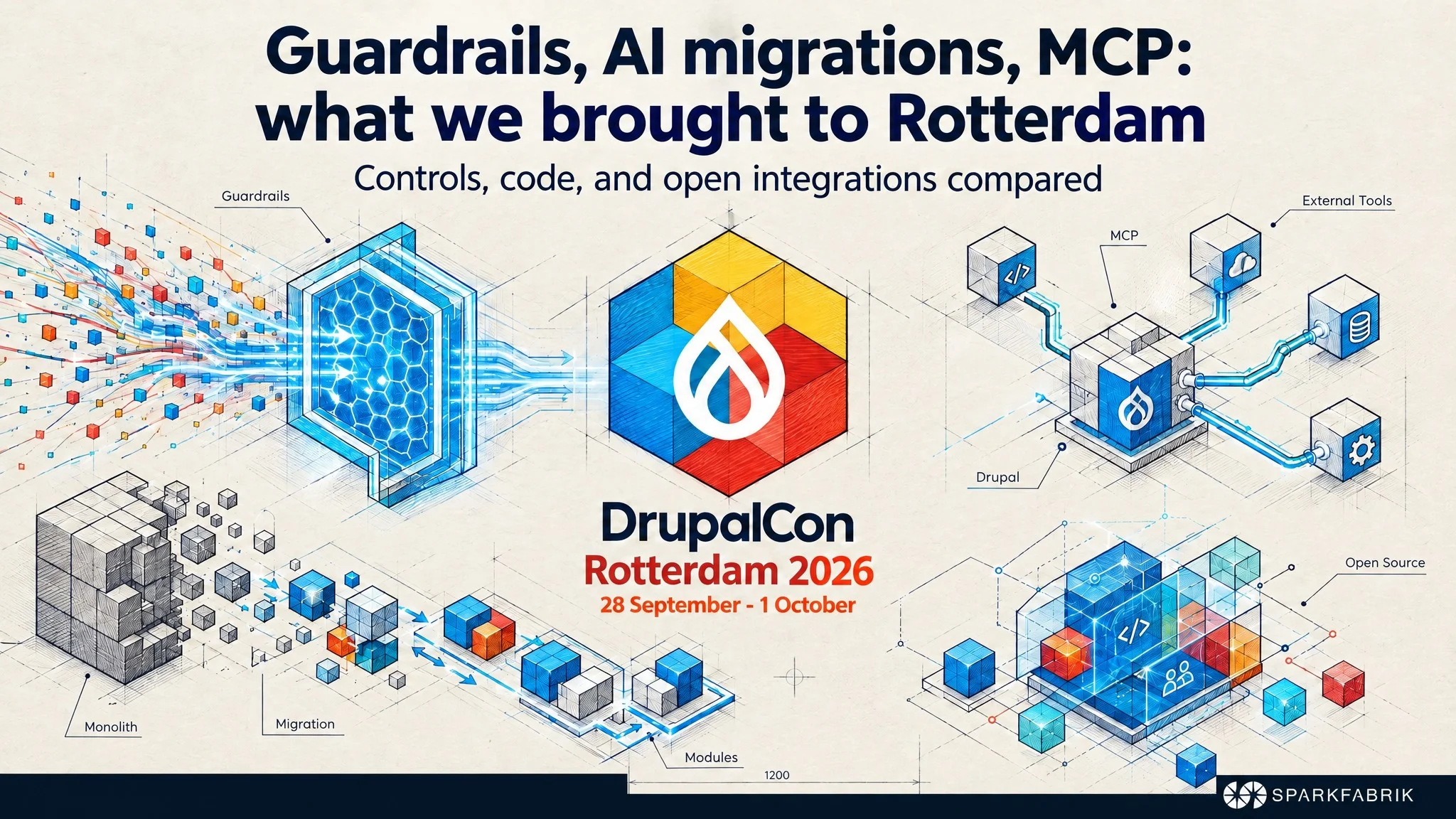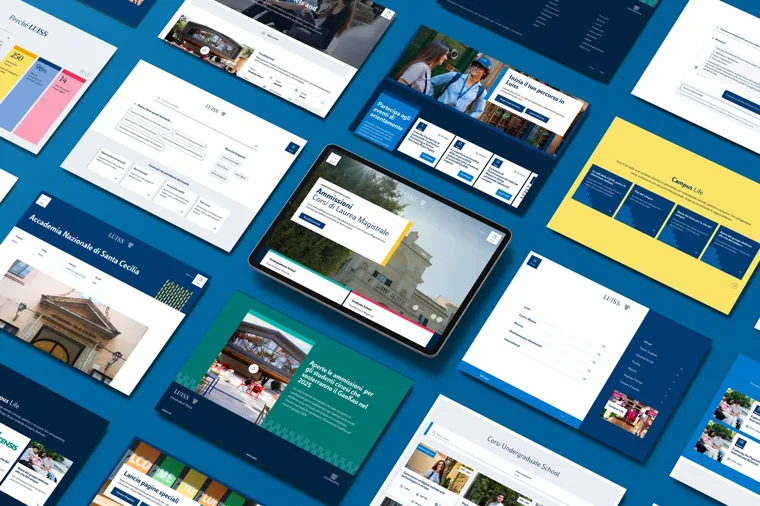

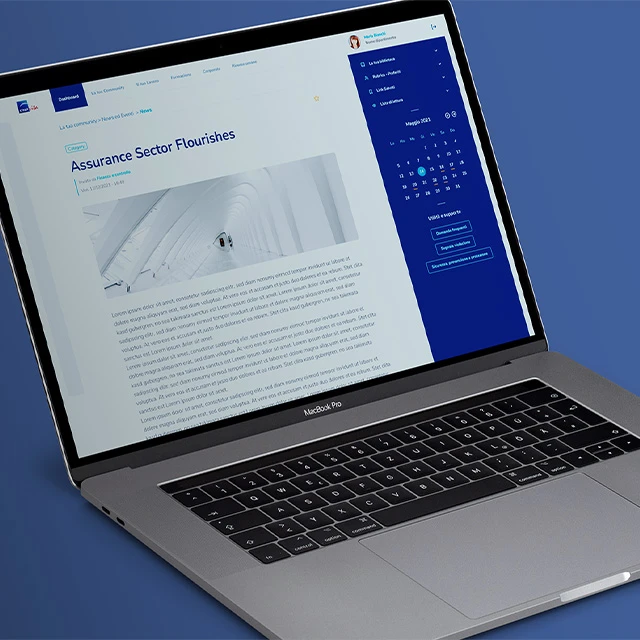


Do you know the potential of a decoupled CMS? Let us explore what it is, when you should use it, and the features of headless Drupal, one of the most mature solutions on the market.
What is a headless CMS?
To understand what is meant by “headless CMS”, it helps to start from the traditionally adopted model for building websites, where the web page is generated by the server. In practice: the user types a URL into the browser, the server receives the request, generates an HTML page, sends it back to the browser, and the user views it.
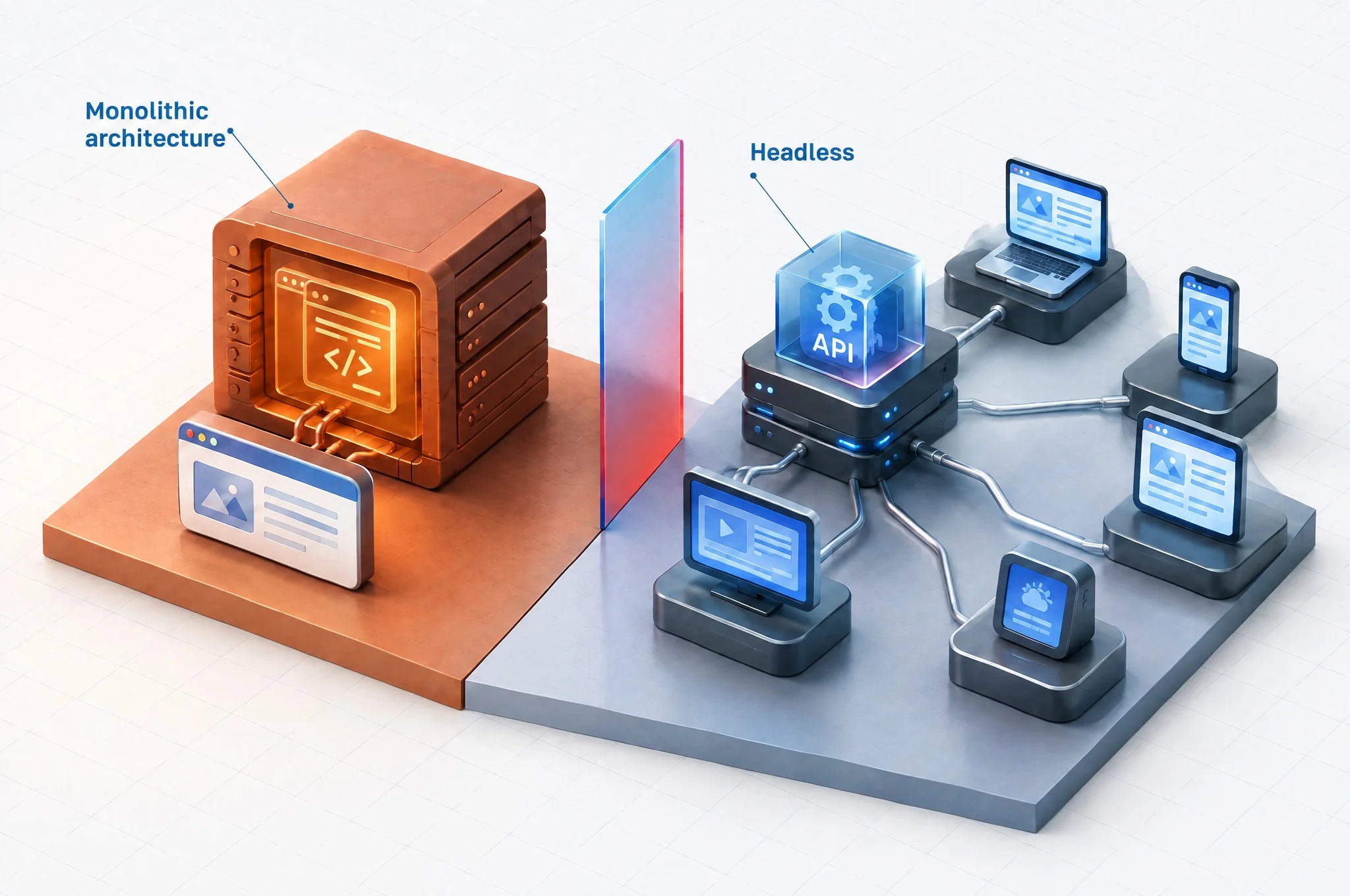
How does this change when using a headless CMS such as, for example, headless Drupal? In this case, page logic is largely built on the frontend rather than on the backend, which is used solely as a data source. However, a decoupled frontend does not necessarily run only in the user’s browser: today, the standard is to serve it via SSR (Server-Side Rendering) or SSG (Static Site Generation) architectures on Node.js or the edge, using frameworks like Next.js and Nuxt that pre-render the HTML and deliver it ready to display, providing direct benefits for SEO and Core Web Vitals.
In the case of an online newspaper, for example, the backend is the source of content, meaning the articles. When a user opens the site’s homepage, the page they see is an empty container where the frontend, through a server request, loads the content and displays it according to the defined display rules.
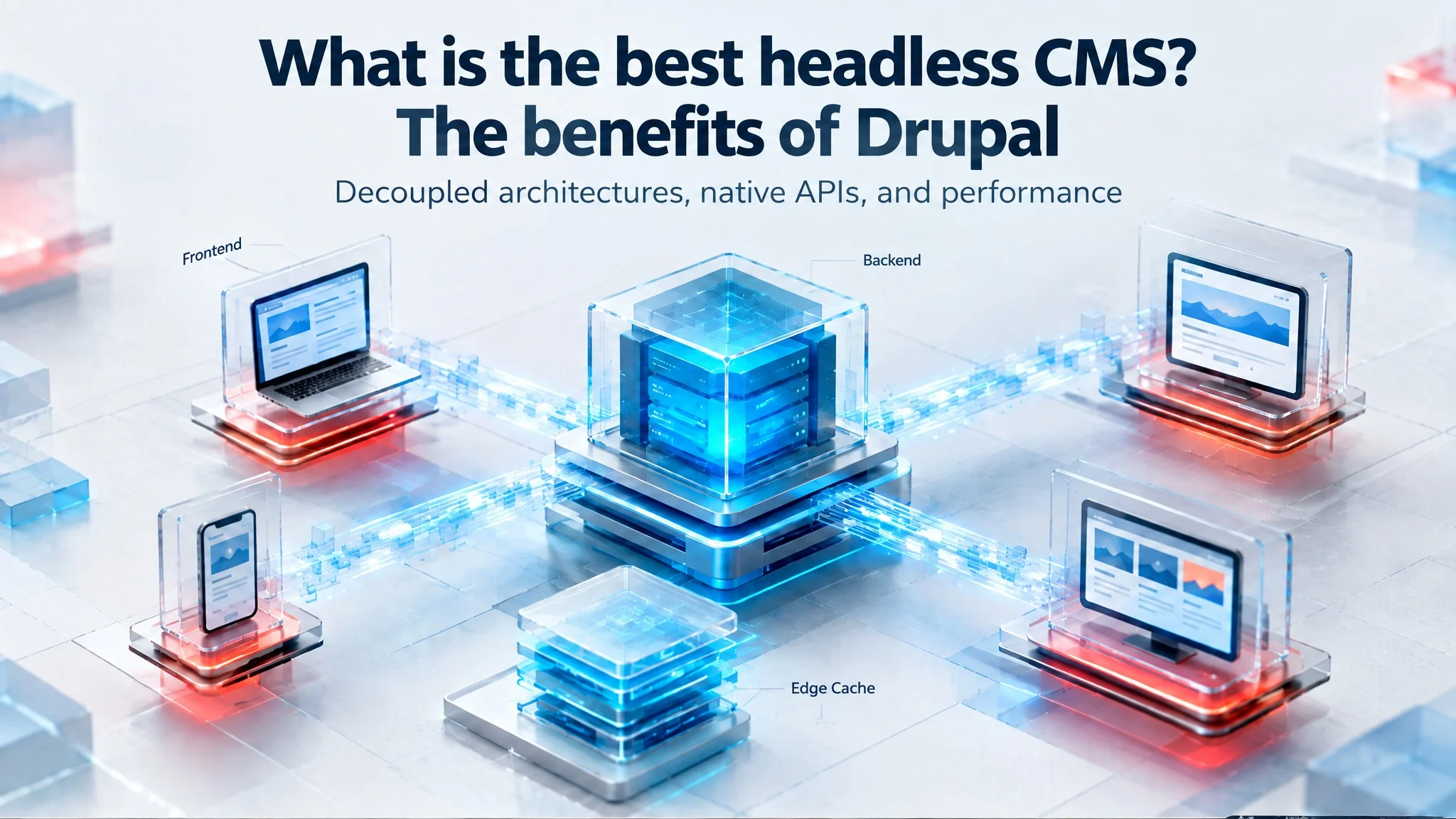
In practice, using a headless CMS means separating the backend and the frontend: the CMS (backend) remains “headless”, where the head is the frontend, now managed by a separate application that can execute rendering in the browser, on a Node.js runtime, or on an edge node. For this reason, we also talk about a decoupled CMS, indicating the separation of a pair (backend + frontend) that was traditionally inseparable.
A headless CMS is a backend-only content management system: it models, stores, and publishes content, but does not generate pages. The frontend is a separate application that retrieves it via API (REST, JSON:API, or GraphQL) and renders it on any channel, from websites to mobile apps, server-side, at build time, or in the browser.
A headless CMS is a backend-only content management system built as a content repository that makes content accessible via API for display on any device in an omnichannel perspective.
Headless CMS: what needs do they meet
The headless approach was created to satisfy concrete needs increasingly felt in the modern web, from aesthetics to performance. A few examples:
Improving the UI by enriching pages with animations, dynamic elements, and impactful graphic solutions, all without excessively slowing down element loading, leveraging the capabilities offered today by frontend frameworks such as Angular, React, and Vue.
Decoupling integrations with external services, which are increasingly common today. Think of content feeds from third-party sources, such as social networks, or social login via Facebook or Google, to give intuitive examples.
Loading pages progressively rather than all at once. Returning to the online newspaper example, it is easy to imagine how heavy a homepage that needs to load hundreds of articles can become.
Building everything server-side, as in the monolithic model, becomes inefficient when the web application has complex frontend logic: every user interaction requires a complete new response from the server, with the rendering load piling up on a single machine.
The headless model flips this distribution of work. The server only handles content, while everything the user needs to view the page is built progressively in the browser, taking advantage of the computing power of the device opening the page.
Headless Drupal, one of the best headless CMS platforms
Drupal has historically been widely adopted by content-driven sites for its flexibility and advanced content workflow management tools (we discussed the benefits of Drupal here). In our experience, these types of websites gain the greatest advantage from a headless architecture.
It is no surprise, then, that Drupal has worked in recent years to build one of the best headless CMSs on the market today. Significant in this regard is the API-First initiative, launched in 2016, whose main goals have now been reached (JSON:API has been in core since 8.7 in 2019 and remains native in Drupal 10 and 11), coordinating development efforts to allow Drupal to serve as a fully headless CMS.
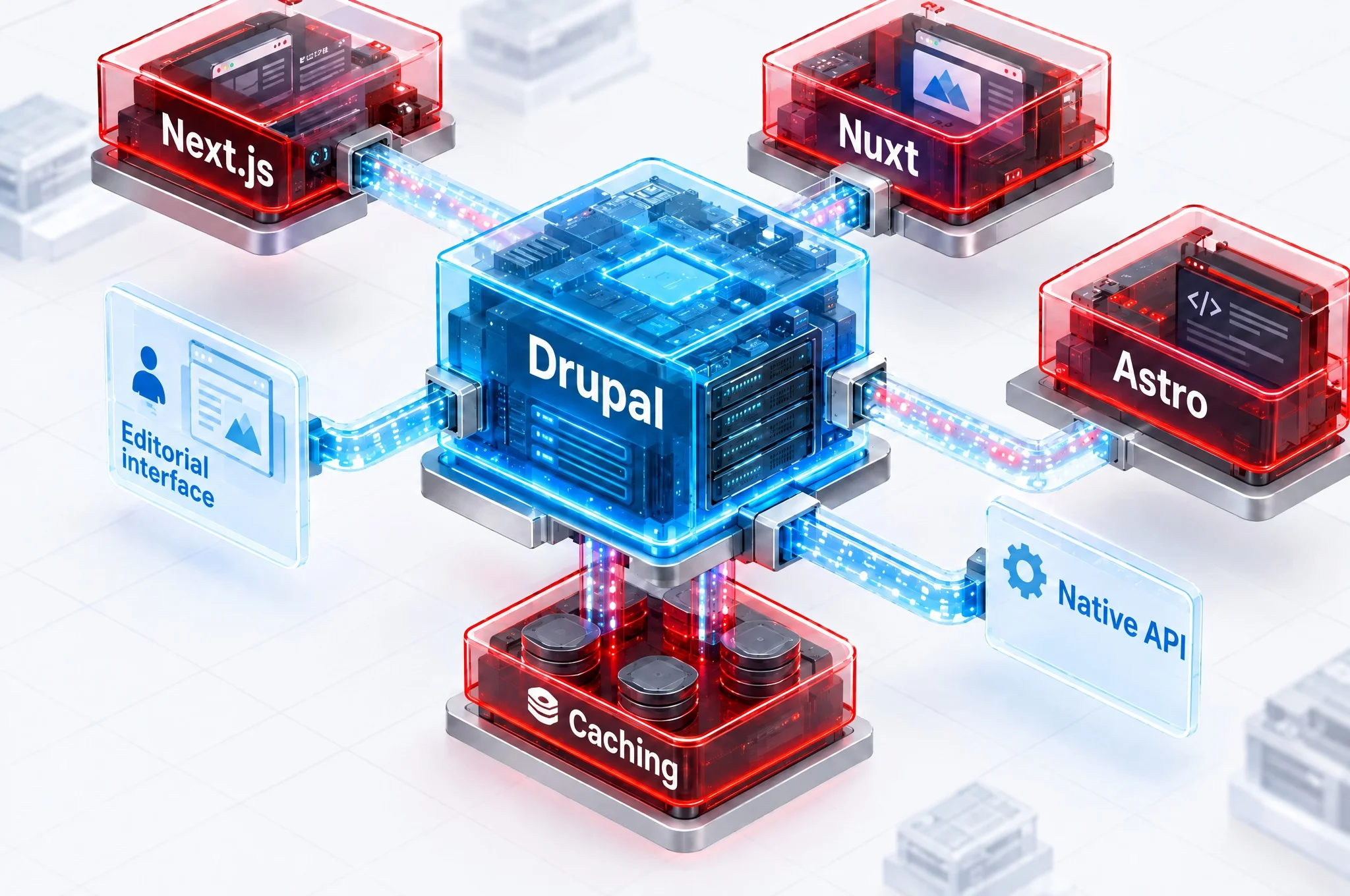
We can consider Drupal one of the most mature headless CMSs because it includes in core most of the features required for headless architecture. Specifically, we are talking about REST API and JSON:API.
The great advantage of headless Drupal lies precisely in having these modules in core, supported by the community and core maintainers. They are tested, stable modules with well-documented standard paradigms, ready for production.
Combining Drupal with a JavaScript frontend framework like Angular, React, or Vue allows you to maximize the benefits: on one side a powerful backend, and on the other an ideal frontend for building a sophisticated, interaction-rich UI.
YOU MIGHT ALSO BE INTERESTED IN: today the upgrade path leads to Drupal 10 or Drupal 11, where the REST and JSON:API modules remain in core and the APIs described in this article work without changes. For those looking to retrace the journey, our article Drupal 9, why and how to upgrade documents the transition from 8 to 9, a version that reached end-of-life on November 1, 2023. If you are evaluating Drupal as a platform for your entire digital experience, the Drupal Guide: from CMS to DXP outlines requirements, architecture, and adoption roadmaps.
Headless Drupal with Next.js, Nuxt, and Astro
A decoupled frontend running entirely in the browser is the 2018 version of the headless model. Today, the Drupal projects we manage in production serve pre-rendered HTML via Next.js, Nuxt, or Astro, with the browser intervening only for interactivity. The clearest example in our experience is Il Giornale: a national daily newspaper with an editorial homepage made up of hundreds of teasers, where Drupal serves as the content backend and the decoupled frontend delivers fully rendered pages to the browser. On a page of that type, loading teasers via JSON:API on the client side makes it difficult to keep LCP under the 2.5-second threshold considered acceptable by Google; the same page pre-rendered on the server or during build arrives with SEO metadata already in the markup and without empty content flashes, which for an outlet indexed on every single news story is the difference between appearing in Google News or not.
The benchmark project is next-drupal, distributed as an npm package under the same name and paired on the Drupal side with the “Next.js” contrib module (machine name next), both maintained by Chapter Three: look for them using these exact names on npm and drupal.org, as unmaintained forks and namesake packages exist. This combination covers the three points where custom decoupled setups usually fail: typed entity fetching via JSON:API, on-demand revalidation (when saving a node, Drupal calls a Next.js webhook that invalidates only that specific page without a full rebuild), and editor preview, allowing editors to see the draft rendered by the actual frontend directly within the Drupal UI before publishing. This third point is what wins editorial teams over: without a live preview, decoupled architecture is perceived as a step backward compared to monolithic Drupal.
For Nuxt, the most solid route is the Drupal “Custom Elements” module combined with nuxtjs-drupal-ce: each entity is exposed as a serialized component, layout logic moves to Vue, and Layout Builder remains usable by editors. Astro, on the other hand, is the ideal choice when most pages are static and only a few (search, private area, comments) require on-demand rendering. Starting with version 5, released in December 2024, you no longer need to configure a hybrid mode at the project level: the site is static by default, and with an adapter installed, you simply disable prerendering on specific routes that must respond on demand. “Islands” complete the picture by limiting the JavaScript sent to the browser exclusively to interactive components, yielding direct benefits for INP.
| Framework | Drupal integration | Rendering | Editorial preview | When we choose it |
|---|---|---|---|---|
| Next.js | next-drupal + Next.js contrib module | SSR, SSG, ISR with on-demand revalidation | Yes, integrated into Drupal UI | Content-driven portals with React teams and frequent publishing |
| Nuxt | Custom Elements + nuxtjs-drupal-ce | SSR and SSG | Yes, via custom element rendering | Vue teams, projects that need to retain Layout Builder |
| Astro | JSON:API or contrib GraphQL, fetch at build | Static with selective SSR routes | Implemented via dedicated endpoint | Predominantly static sites, minimal JavaScript budget |
In all three cases, the backend remains the same Drupal 10 or 11 instance with JSON:API in core: switching frontend frameworks, or adding a secondary one for another channel, does not require changes to the content model.
REST API and JSON:API
Drupal includes two ways in core to expose content in headless mode: the REST API module, configurable resource by resource and more flexible in formatting, and JSON:API, which follows a standard specification and automatically exposes all entities with built-in filtering, sorting, and relationship handling. The former is best when custom endpoints are needed; the latter when you want a full-featured API without writing custom configuration.
The RESTful module is a native, consolidated core component: introduced with the Drupal 8 series (starting with 8.2 in 2016), it has remained in core continuously through Drupal 10 and Drupal 11 and requires no contrib extensions for production use. It allows easy interaction with all standard entities available in Drupal (nodes, users, taxonomies, comments). Alongside the two core modules, the GraphQL module, distributed as a contrib project, is today the third most common option for modern frontends built with React, Next.js, or Vue, though it must be installed and maintained separately.
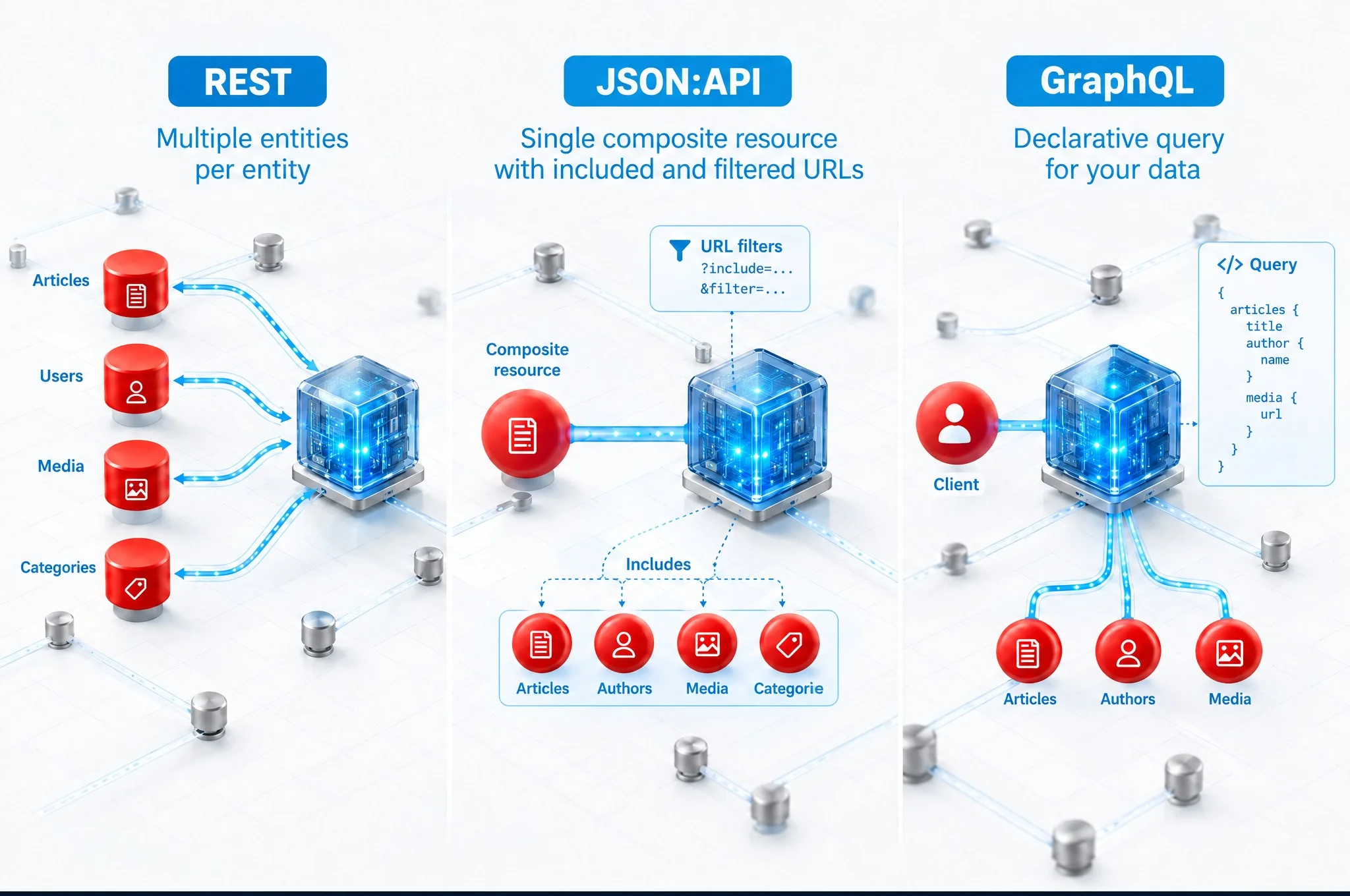
The JSON:API module entered core with Drupal 8.7 in 2019 and remained in core in Drupal 9, 10, and 11: today it is a mature, native feature, no longer a novelty. It is conceptually very similar to REST API, but designed specifically for the headless model.
The conceptual difference between REST API and JSON:API is that the former provides a specific response to a specific request, while the latter is designed to describe the entire page. In a headless context, this approach is ideal: the frontend can request the full page description from the backend, rather than requesting each individual page component separately (as happens with REST API).
For a deeper comparison, we recommend reading the documentation.
GraphQL in Drupal: the third way
Developers coming from React or Next.js often ask for GraphQL before even knowing what JSON:API is. In Drupal, the answer is the GraphQL contrib module, which changed its philosophy starting with version 4: 3.x automatically exposed the entire content model, whereas 4.x and subsequent releases require writing the schema manually, using data producers to map each field. This requires more upfront work, but the frontend receives a typed, stable contract free of internal fields it does not need to know about; code generation provides TypeScript types directly from the schema, and a single query can retrieve the node, author, tags, and images with requested dimensions in one go. Teams that prefer not to write schemas manually can rely on GraphQL Compose, which generates them from entity configurations.
The trade-off comes with caching. JSON:API responds to GET requests with distinct URLs, so page caching, cache tags, and CDNs work out of the box; GraphQL operates via POST requests to a single endpoint, requiring persisted queries or a dedicated application cache to work with Varnish or edge caches. For this reason, JSON:API remains our default choice, and we switch to GraphQL when the frontend needs to compose data from multiple entities in a single call and the team is already equipped with Apollo or urql.
| REST core | JSON:API core | GraphQL contrib | |
|---|---|---|---|
| Maintenance | Core maintainers | Core maintainers | Community, updated separately |
| Request format | One per entity | One per page, includes and filters via URL | Declarative query, client-selected fields |
| HTTP and CDN caching | Native | Native | Requires persisted queries or dedicated cache |
| Frontend typing | Manual | Manual or via contrib OpenAPI | Typed schema, TypeScript codegen |
What are the benefits of a headless CMS?
Better performance
A website receiving millions of requests per day cannot hold up if every visit forces the server to query the database and compose the page from scratch. By decoupling backend and frontend, the advantage is not about shifting computation to the user’s browser, but about generating pages once and serving them pre-rendered: with SSG or ISR, the frontend produces static HTML, which is distributed and cached across CDN edge nodes. The CMS responds only when content changes, not on every visit. The server is relieved because it is removed from the request path, and the response is delivered from the nearest edge node with complete, indexable HTML from the very first byte. This results in faster load times for the user and a better user experience.
Performance improvements are valuable not only for users but also for SEO: consider LCP (Largest Contentful Paint), the metric measuring the load time of the largest visible element above the fold. Together with CLS and INP (which replaced FID in March 2024), it forms Core Web Vitals, ranking signals for Google since the rollout of the Page Experience Update in June 20211. The chosen rendering pattern directly affects these values, as shown in the table below: if the initial page elements arrive late, LCP degrades, and search ranking drops along with it.
Managing multiple frontends
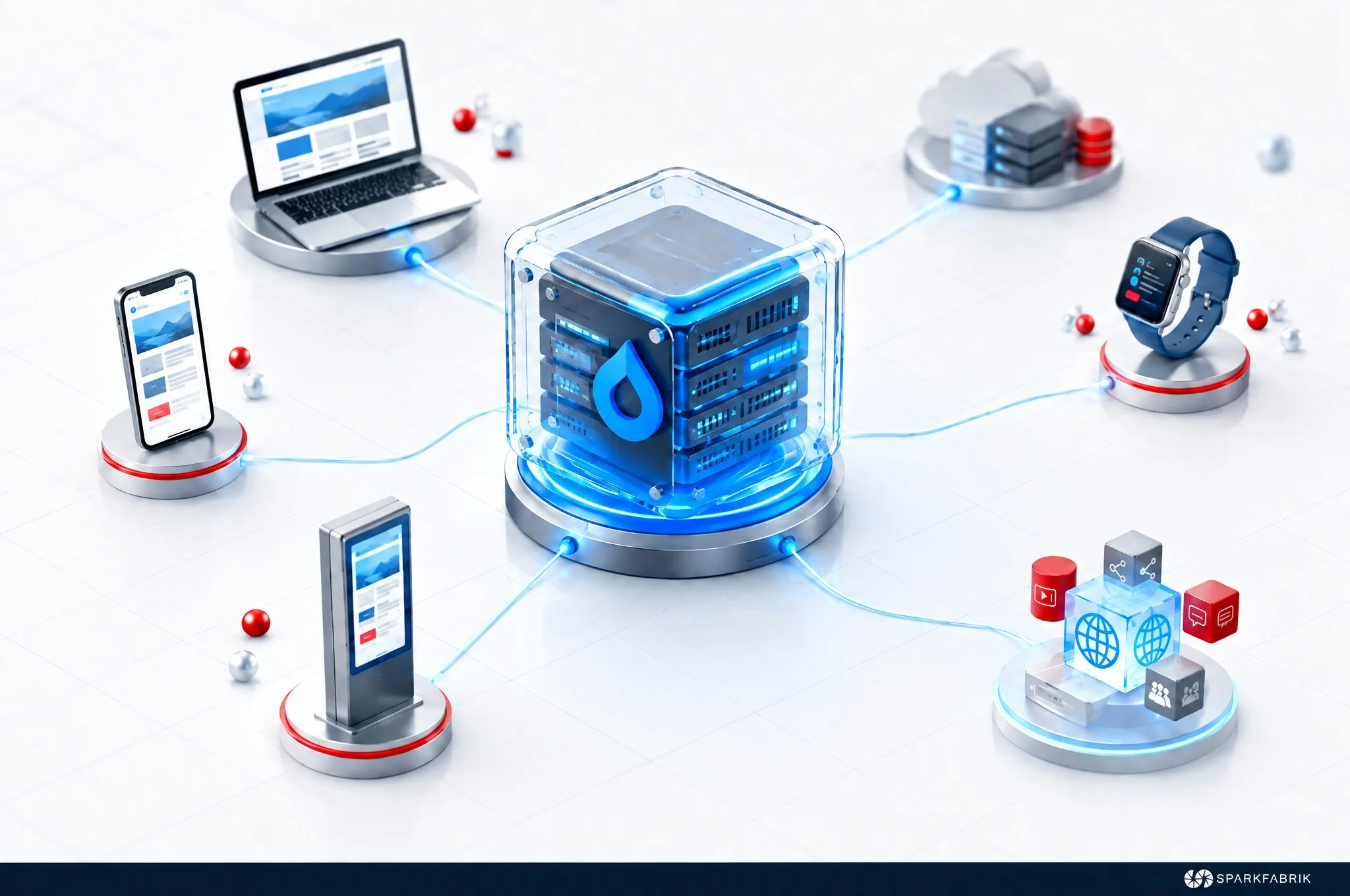
Many companies need to manage more than one frontend to support an omnichannel strategy: one or more websites, mobile applications, web apps, widgets, smartwatches, PlayStation apps, and more. These are distinct frontends that share common content, all manageable from the same backend thanks to a headless CMS.
The savings in time and costs are easy to see, covering both development (one backend instead of several distinct backends) and content management, which becomes faster and simpler because it is centralized.
Third-party integrations via frontend
As mentioned, headless CMSs were also created to facilitate third-party integrations via API. With a decoupled CMS, it is often unnecessary for the server to communicate directly with the external service: the browser can handle it directly via JavaScript, relieving the server of this workload.
This ease and speed of integration opens up multiple opportunities for user experience: from Instagram or Twitter feeds, to social login, advertising integrations, analytics, and embedded content. Logins to private areas in Cloud Native applications should also follow modern standards like OAuth 2.0, which once again allow us to integrate the frontend without necessarily redeploying the backend.
Better time-to-market
Choosing a headless CMS allows teams to run backend and frontend development in parallel, engaging the entire team across the same timeframe.
Developing a complex website using the traditional approach requires early stages to focus heavily on the backend. During this period, frontend developers cannot work on the project, and there is no visible output to validate. This inefficiency is resolved by the headless model: the frontend team can start building the page layout and styles, knowing that once the backend is ready, it will deliver the requested data according to the agreed API contract.
The total hours worked remain similar to traditional development: what changes is how they are distributed over time. By running activities in parallel, you reduce time-to-market and bring forward intermediate verification and validation milestones, ensuring corrections occur when they are still inexpensive to implement.
Ease and speed of modification
Decoupling backend and frontend represents an early step toward a Cloud Native architecture, which breaks a project down into multiple independent microservices. Having many separate services rather than a single monolith makes it easier to implement targeted updates on individual services without affecting other parts of the application.
With a headless CMS, a similar logic applies: if a specific update is needed on the frontend, there is no need to modify the backend; deploying the change to the frontend is sufficient.
The benefits of this capability include:
Cost and user experience: targeted, faster updates;
Uptime: elimination of downtime associated with full-site updates or maintenance.
Resilience and updates
On a non-headless site, what happens when a new standard arrives for Drupal or PHP? Often, this situation requires rebuilding parts of the site, incurring significant costs and potentially causing downtime.
This issue is substantially mitigated by decoupling. In many cases, a headless CMS allows you to update just one part of the infrastructure while the rest remains fully operational. By relying on established standards (REST API and JSON:API), upgrading Drupal or PHP versions gives reasonable assurance that standards are respected and the frontend will continue to work seamlessly.
This makes it possible to respond to issues and market shifts much faster.
Challenges and requirements of headless
Adopting a headless CMS, like any technology choice, comes with challenges.
This approach increases application complexity, as it requires creating and maintaining two distinct applications: the backend that manages content and the frontend that displays it. In technical terms, this means two deployments, two pipelines, double the testing suites, and potentially twice as many containers. As complexity rises, the risk of errors in individual components also increases.
Another consideration, which is not necessarily a disadvantage, is that the development team must be multidisciplinary, including both dedicated backend and frontend developers. For organizations structured differently, this may require investing in new specialized roles.
Should my company choose headless?
In conclusion, choosing a headless CMS is recommended for content-driven websites because it allows managing large volumes of content from a single backend without compromising user experience. In this context, headless Drupal represents one of the most mature and efficient solutions for decoupling backend and frontend, thanks to secure, tested standards available directly in core modules.
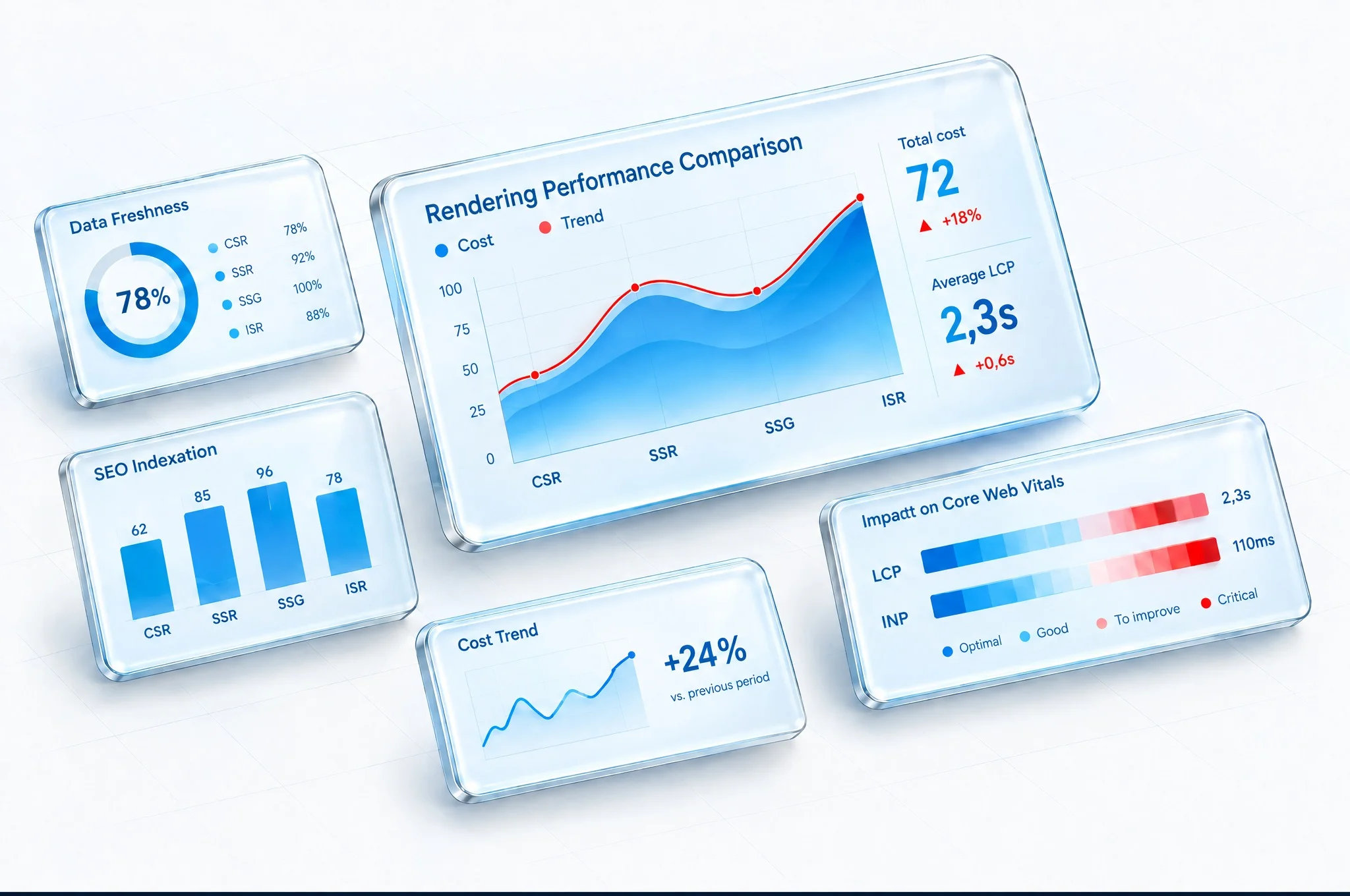
Conversely, for a showcase website with infrequent updates or a simple landing page designed to promote a single product, the headless approach makes less sense, and a traditional CMS may be the most cost-effective choice.
If you choose headless, how the frontend produces HTML matters as much for indexing and Core Web Vitals as the choice of CMS: rendering entirely in the browser is only one of four available patterns, and in production projects it is almost always the pattern to avoid for public pages. If you are evaluating this transition, our Drupal Guide: from CMS to DXP compares architectures, costs, and organizational requirements; for an analysis of your specific case, start with our Drupal services page.
| Pattern | Where HTML is generated | Indexing and metadata | Content freshness | When it makes sense with Drupal |
|---|---|---|---|---|
| CSR (client-side rendering) | In the browser, after downloading the JavaScript bundle and running JSON:API calls | Depends on crawler JS execution; title, meta, and Open Graph tags missing from initial response, LCP penalized by empty container | Immediate, on every request | Authenticated areas, dashboards, interactive components within pre-rendered pages |
| SSR | On Node.js or edge, on every request | Complete: HTML and metadata ready in initial response | Immediate | Search, pricing, user-personalized content, pages changing on every visit |
| SSG | During build phase, once per deployment | Complete | Updated on next deploy or rebuild triggered by Drupal webhook | Sites with infrequent publishing and hundreds, not tens of thousands, of URLs |
| ISR (Next.js) | At build time for main routes, on-demand for others; regeneration per individual page | Complete | On node save, Drupal calls next-drupal revalidation and invalidates only that page without a full rebuild | Editorial portals with thousands of URLs and newsrooms publishing multiple times daily |

Notes and sources
metric measuring the load time of above-the-fold content, representing for Google since…: “Higher rankings: LCP is a Core Web Vital, so improving it can help achieve higher Google rankings”: semrush.com (source: https://www.semrush.com/blog/lcp/) ↩︎