


DevOps combines software development (Dev) with IT operations (Ops), with the goal of shortening development time and producing high-quality software with continuous integration and delivery.
READ MORE**:** What is DevOps and how to adopt it
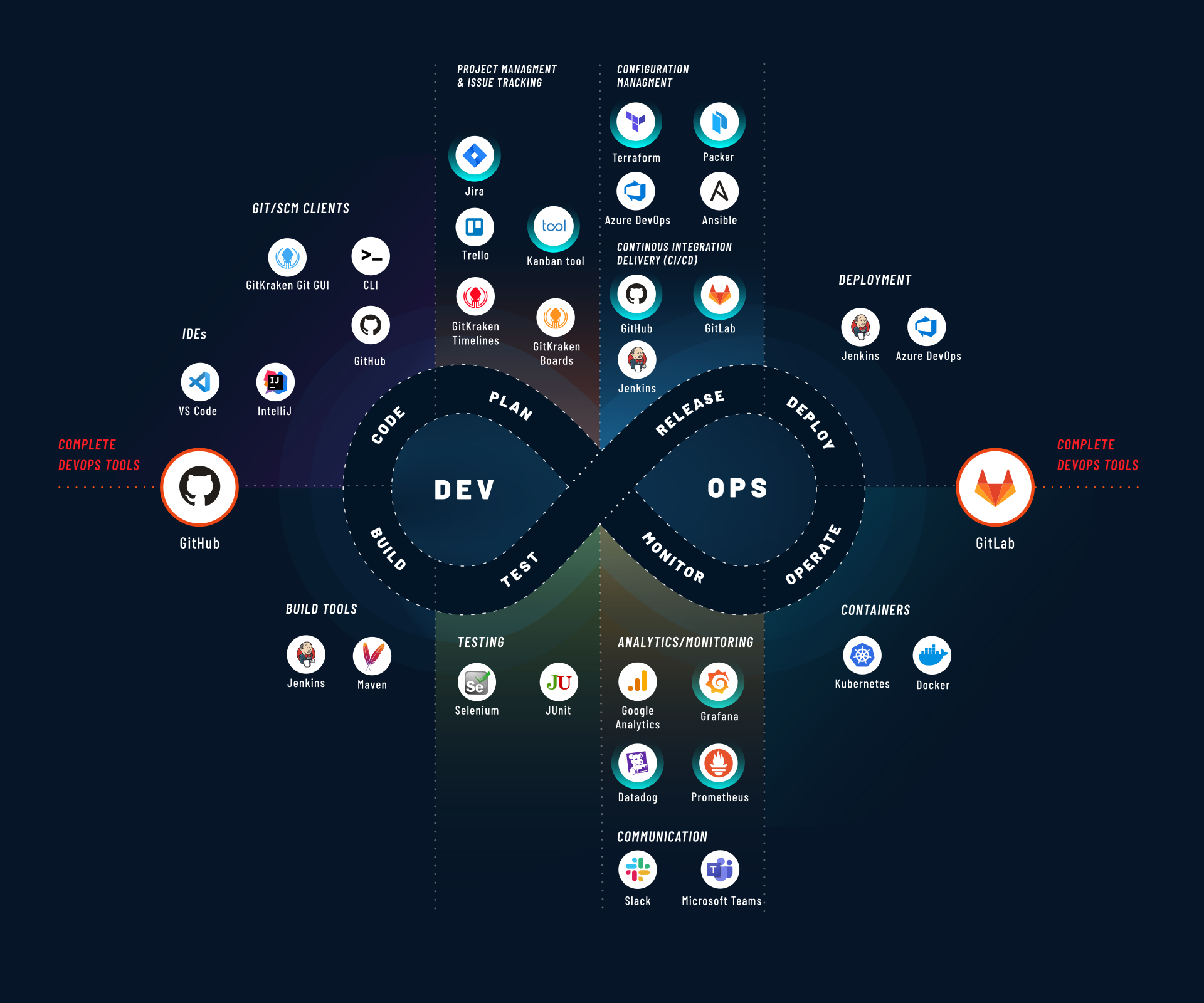
With DevOps we refer to a methodology that brings together a set of principles and best practices and that tends to use certain types of tools. But which ones? Below we have listed what we believe to be the most useful tools and explained why we consider them as such, without claiming to create an exhaustive list.
Expand
__
DevOps tools that cover the entire DevOps flow
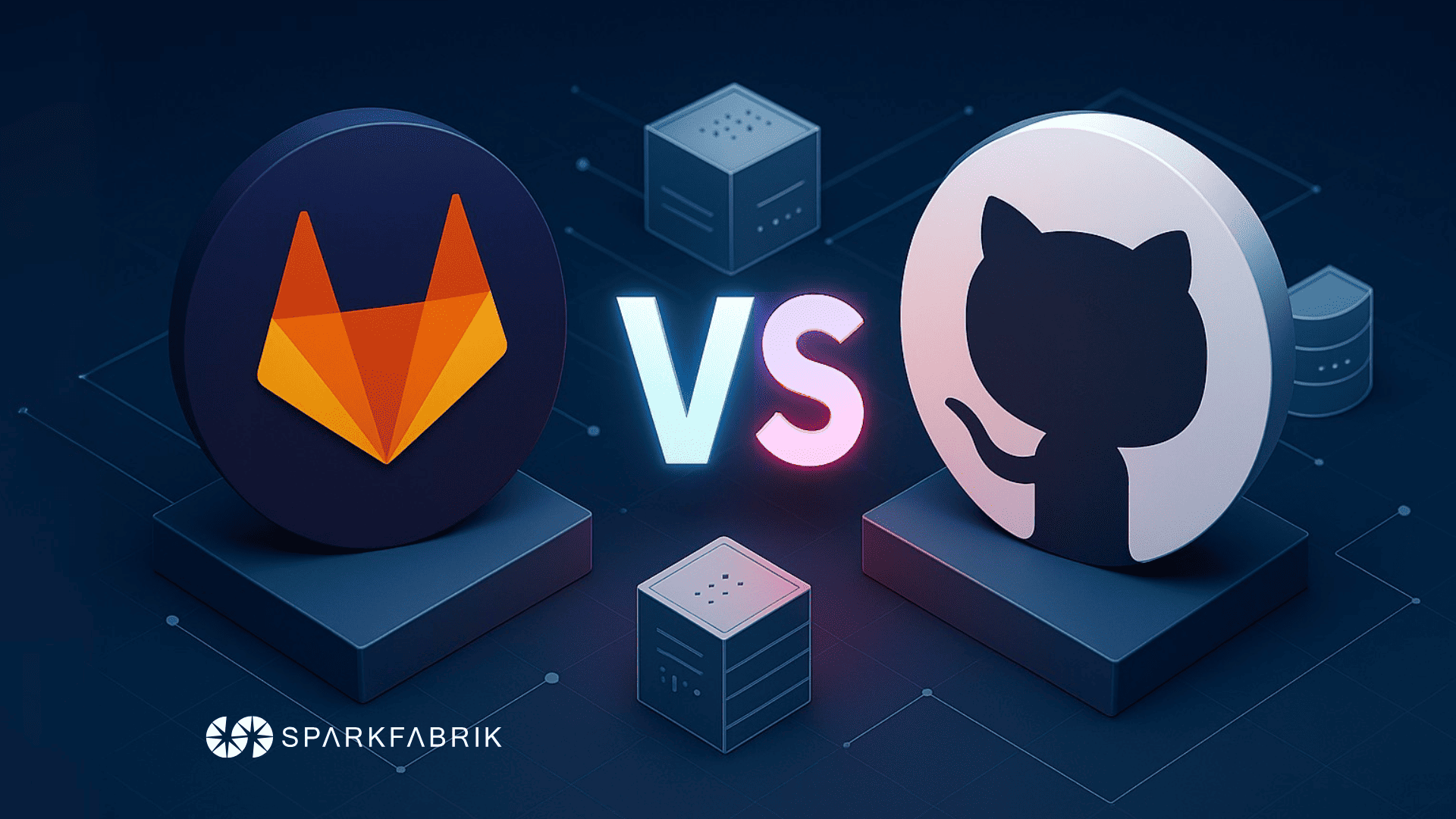
We begin our overview with GitLab and GitHub, two of the most comprehensive tools on the market: these tools potentially cover the entire lifecycle of the DevOps flow. Of course, this does not preclude certain steps in the flow from being managed with highly specialized solutions, which we will cover in the following sections.
1. GitLab
GitLab is a complete DevOps platform, distributed as a single application that manages project planning and source code through to CI/CD, monitoring and security, released under an Open Source license. You can install an on-premise version or purchase a paid plan onGitlab.com.
This tool allows you to speed up the DevOps cycle, as well as reduce development costs and time to market by increasing developer productivity. It does so through a range of features and capabilities:
- Metrics and insights that enable action to speed up delivery
- Planning tools that adapt to any development process, from Waterfall to DevOps
- Branching tools for creating, viewing and managing project code and data
- Automated testing to verify code quality standards
- Built-in package management
- Automation of the application release and delivery process through fully configurable pipelines
- Application and infrastructure configuration and management tools
- Monitoring for timely error detection
2. GitHub
GitHub is a cloud-based SaaS platform that enables a collaborative approach to code management, useful for managing the entire software lifecycle. Owned by Microsoft since 2018, GitHub is not an open source project and cannot be installed on-premises, but can only be used in its Cloud version.
GitHub is a solution with features very similar to those of GitLab, the latter being its Open Source counterpart. Let’s take a quick look at its features:
- Tools for collaborative development, testing and code deployment
- CI/CD, testing, planning and project management automation
- Vulnerability identification and code analysis from a security perspective
- Project management, collaboration and activity tracking tools
GitHub is also available through a dedicated mobile app.
The platform, which is the world’s largest for hosting and managing open source projects, effectively functions as a social network in its public section. Beyond being a work tool, GitHub represents for many developers a space where they can build community with like-minded people and share projects and ideas.
DevOps tools for planning & collaboration
1. KANBAN TOOL
Kanban Tool is a Cloud-based software tool for visual project management that allows you to manage tasks and projects through a Kanban board. Kanban is a production system developed in Japan by Toyota for “just in time” production.
The purpose of the tool is to visualize workflow, measure it and manage it, limit work-in-progress, make process policies explicit and identify improvement opportunities. Kanban Tool is a proprietary SaaS suite (closed source) that includes web, Android and iOS clients and can be used on-premises.
2. JIRA
Jira is one of the most well-known collaborative SaaS platforms for project management created by the US-based Atlassian group. It integrates with the main software version control tools and is often used in combination with Bitbucket, the version control system in the Atlassian suite.
Jira allows you to manage a project using Agile methodologies, plan development milestones through Kanban boards, track bugs and generally the entire development flow.
Jira is available both in Cloud and on-premise versions. The evolution of the platform allows it to be used not only for software development but also as a project management tool.
DevOps tools for configuration management
1. Terraform
Terraform is a tool for creating, modifying and versioning infrastructure, capable of managing the most popular service providers or custom solutions.
Let’s try to summarize how it works in bullet points:
- Configuration files describe to Terraform the components needed to run a single application or an entire data center
- Terraform generates an execution plan describing what it will do to reach the desired state
- Terraform executes the plan to build the described infrastructure
- As the configuration changes, Terraform can determine what has changed and consequently create incremental execution plans
Terraform allows you to manage external compute resources, such as public and private Clouds, network appliances, Software-as-a-Service (SaaS) and Platform-as-a-Service (PaaS) systems. Terraform uses a declarative language for machine configuration called HashiCorp Configuration Language (HCL) or can optionally use JSON (JavaScript Object Notation).
2. Packer
Packer is a tool created by HashiCorp. It is an Open Source software for automating the creation of “machine images” for different platforms from a single configuration source.
HashiCorp Packer currently supports automated image building for Amazon EC2, CloudStack, DigitalOcean, Docker, Google Compute Engine, Microsoft Azure, QEMU, VirtualBox, VMware. It remains possible to integrate any other platform given its extensible plug-in architecture.
The system uses modern configuration management techniques and promotes the use of scripts for automated provisioning. Additionally, during image creation, Packer can use tools such as Chef or Puppet to install software on the image.
DevOps tools for CI/CD
1. GitLab CI
GitLab CI is the Continuous Integration (CI) component of GitLab, which allows you to automate code building and testing at scale.
CI allows integrating code developed by programmers into the shared repository through merge requests (MR) that trigger a pipeline with build, test and validation phases for the new code before merging with the repository master. The next step is Continuous Delivery (CD) which enables a structured code delivery activity for code that has been validated in the CI phase.
One of the advantages of GitLab’s CI/CD pipeline is the ability to have a single flow from planning to deployment, all integrated within the platform. It is also an open source tool that is easy to use, scalable, fast (it parallelizes builds) and optimized for delivery across different environments.
The solution runs on Linux, Windows, macOS and other platforms that support the GO language, can be tested locally, supports Docker and Kubernetes (architecture designed for Cloud Native), and allows the use of passwords and access keys securely and safely during the various phases.
2. GitHub Actions
GitHub Actions is the component for automating code development workflows following the CI/CD approach. It allows you to build, test and deploy code directly from within GitHub, coordinating multiple branches, code reviews and issue detection and tracking systems.
Available on Linux, macOS and Windows, GitHub Actions enable matrix builds (i.e., simultaneous testing across multiple operating systems and runtime environment versions) and multiple languages (starting from Node.js, Python, Java, Ruby, PHP, Go, Rust and .NET).
Beyond flexibility, security, real-time log management and multi-container testing aspects, GitHub Actions are enriched by workflows defined by the developer community and integrated with tools like Jira for ticket management.
DevOps tools for monitoring
1. Grafana + Prometheus
Grafana is an open source, multi-platform tool for interactive analytics visualization of a web application. It provides maps, charts and various types of alerts. A commercial Grafana Enterprise version is also available, adding further capabilities in the paid version.
As a visualization tool, Grafana is used in many visualization stacks in combination with other solutions such as Prometheus. This is a free, open source, multi-platform software for event monitoring. Prometheus records object metrics in real time (website, web application or other) storing them in a database as a historical time series of data points.
2. Datadog
Datadog is a Go-based software application monitoring service that allows you to monitor the operation of servers, individual databases and application services on the Cloud. Datadog performs its monitoring work as a Software-as-a-Service platform. The paid service is integrated with all major Cloud service providers with more than 350 specific integrations provided directly with the tool.
Datadog provides log management systems, infrastructure monitoring, end-to-end tracing, serverless systems, network monitoring and security monitoring.
Conclusion
Software projects, both in the Cloud and on-premises, have become increasingly complex and require application tools for their management, in addition to the best methodologies for their development and support throughout the entire software lifecycle.
There are many different tools on the market, but they are not all equal. Above all, not all of them are suitable for DevOps development with Agile methodology. In this brief guide, we wanted to highlight what we believe to be some of the best tools in our opinion. A list born from research, testing and above all extensive field experience: we hope you find it useful!